Items 11 to 20 of 42 total

per page
Page:
  1. 1
  2. 2
  3. 3
  4. 4
  5. 5
Set Descending Direction

PiPo W9S Review

Friday, April 1, 2016 1:00:41 AM America/Los_Angeles

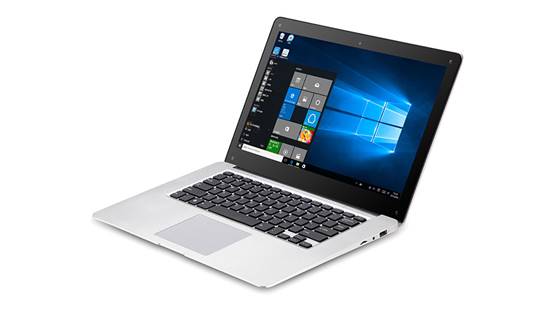
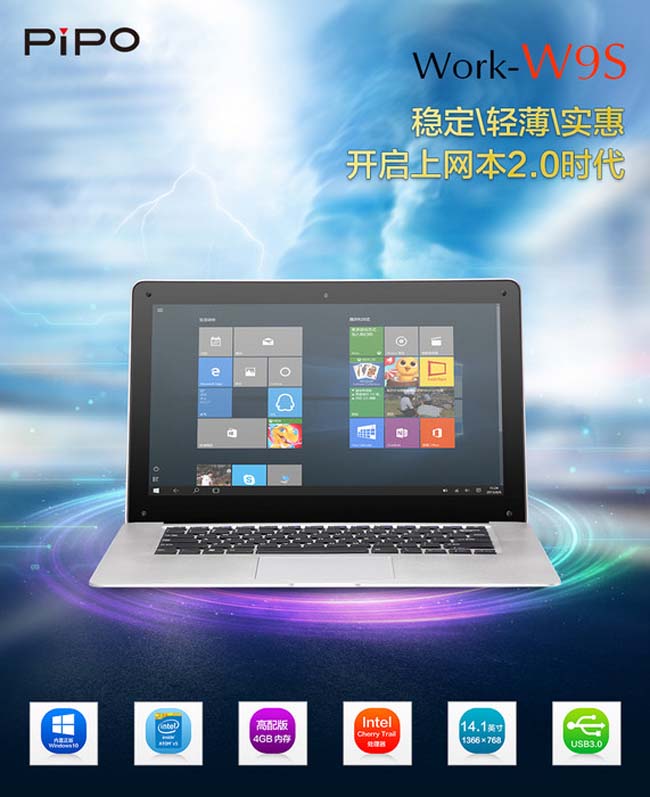
PiPO Tablet has recently released a new Windows 10 Netbook -- Pipo W9S. This new tablet adopts a 14.1 inch screen with Intel Z8300 procesoor, builds in 4GB RAM + 64GB ROM. Standard configurations, while just for $199.99. It completely subverts the concept of the of suchnotebook, which has been so cheap, while has a high-quality.

PiPO W9S Ultrabook Main Features:
14.1 inch screen, 1366*768 pixels display
Intel Atom X5 Cherry Trail Z8300 quad core CPU
Intel HD Gen7 GPU
4GB RAM + 64GB ROM
Windows 10 OS
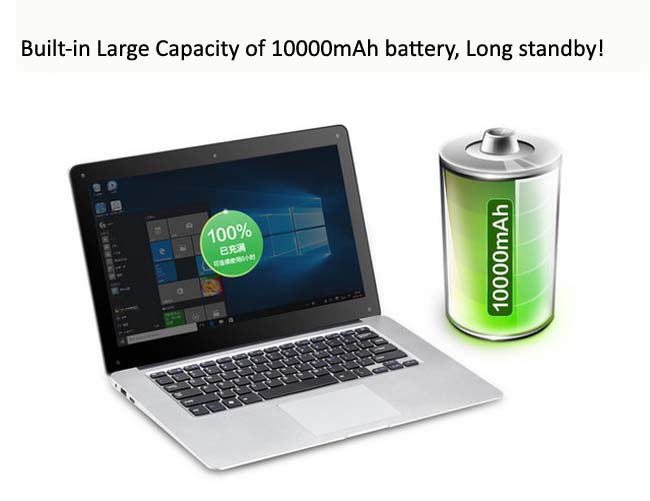
10000mAh battery

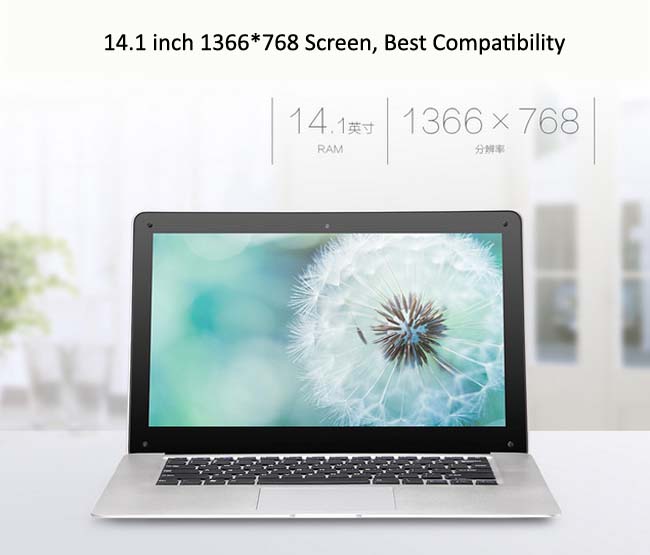
14.1 inch screen is sure to be large enough amont the netbooks for business. 1366×768 pixels resolution is also very common for notebook, which has a good balance both on the display and power consumption. For daily business and web browsing, 1366 × 768 resolution is sufficient. As it takes a 14.1 inch screen size, there is also enough space for keyboard, which is more comfortable and natural to use, and will not cramped.

W9s is powered of Intel Cherrytrail Z8300 processor, which is the common Atom processor of the Intel Cherry Trail Family. It is based on the advanced 14nm process, quad core four-thread design, typical frequency 1.44GHz, can be up to 1.84GHz, integrated with Intel HD Gen7 Graphics, has 4GB DDR3L momory + 64GB eMMC storage. It also has rich interfaces, 2 x standard USB ports, 1 x HDMI port, 1 x TF Card slot, 1 x DC port, and 1 X earphone port. Moreover, it is also built in 2.0MP front camera.

PiPO W9S

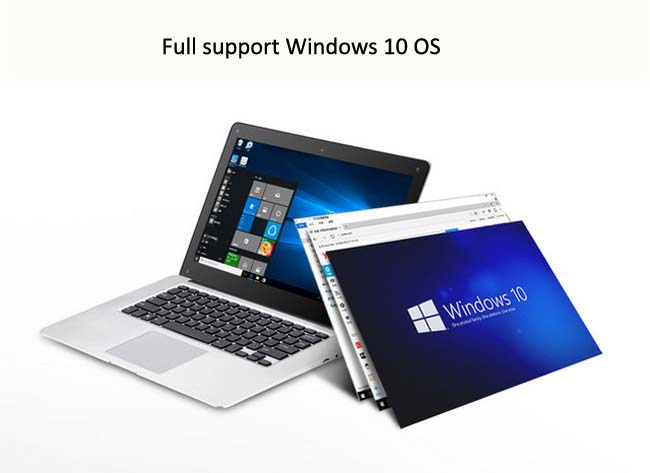
As for the battery life, official specs shows it is equipped with a 10000mAh battery. After fully charged, it can last for 6~8 hours. In addtion, the Windows 10 operating system is the same as the mainstream notebooks, under which the menu interface and operations centerare easy for using. Combined with the PIPO W9S specs, Windows 10 system of this tablet can run very fluently, and the total speed is quite fast.

PiPO W9S

Now we should change our inherent thought: It is not necessary to spend more money to enjoy high-quality product, PiPO W9S has done it!

PiPO W9S
0 Comments | Posted By PiPo-Store

PIPO X6S is in stock and ready to send

Wednesday, March 30, 2016 2:05:21 AM America/Los_Angeles

In the last 2015, PIPO tablet has released its creative products, such as PIPO X7, X8 and X9 mini PC TV Box, of which, PIPO X9 has been the best seller, and recently PIPO has released another PIPO X6S product.

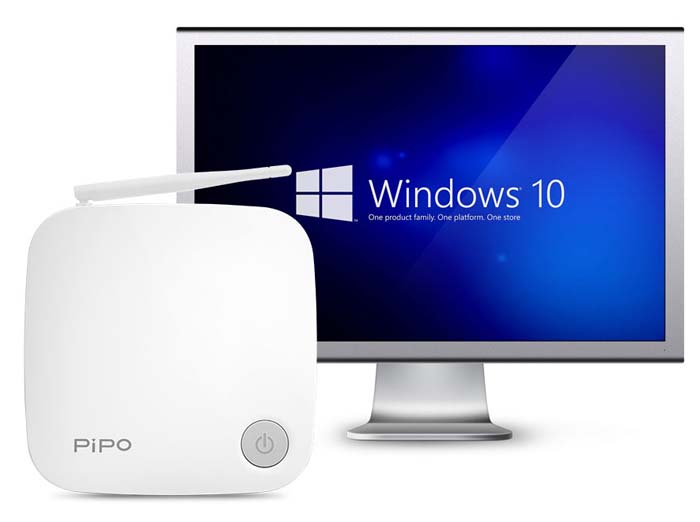
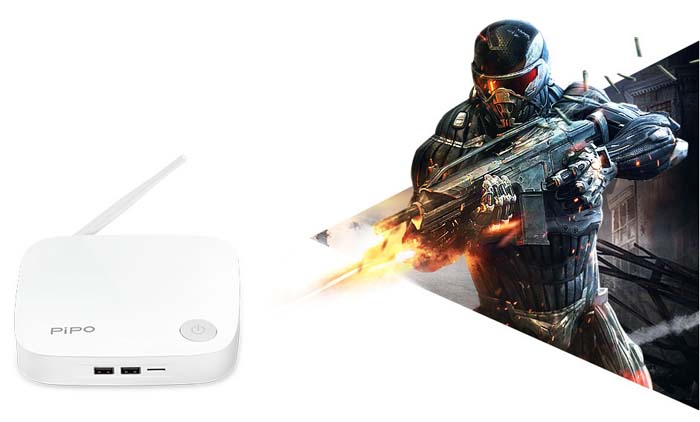
The new PIPO X6S is similiar with the previous PIPO X7S, which can be treated as a Windows10 Microcomputer Host.

PiPo X6S

However, X6S uses the new Intel Atom Z8300 CPU, and has 4GB Large memory. Compared with the X7, it has a much higher performance.

PiPo X6S

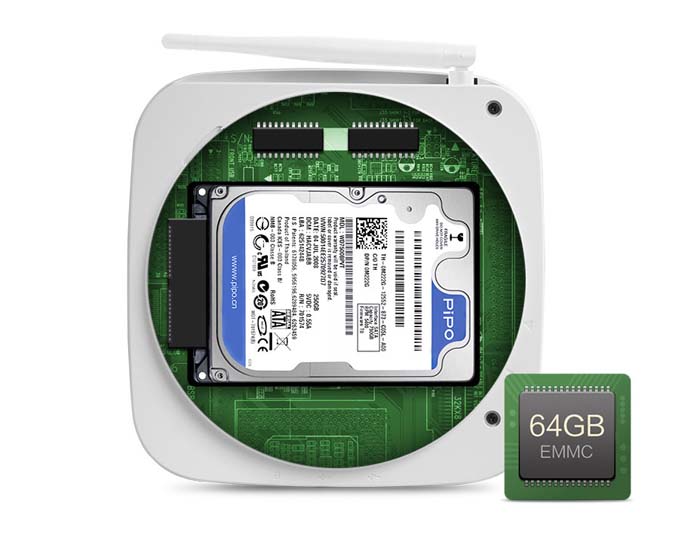
Moreover, Pipo X6S is also built in SATA hard disk interface and TF card port, which perfectly solve all the troubles of the product storage capacity.

PiPo X6S

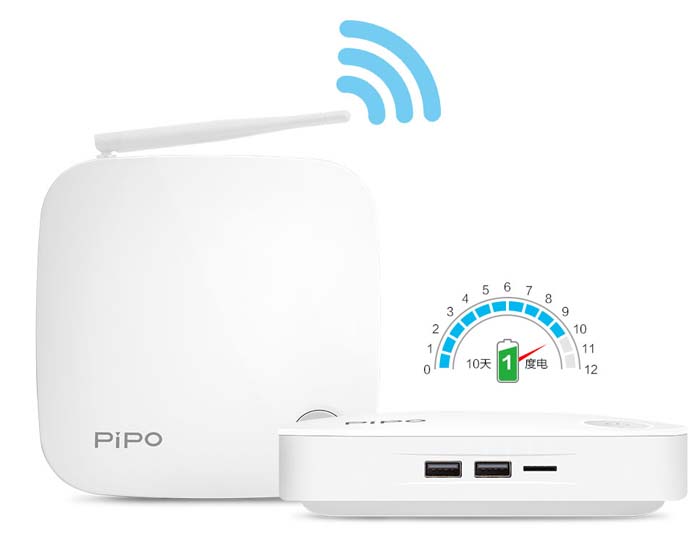
It also supports routing function, which can be used as a router.

PiPo X6S

PIPO X6S is in stock and ready to send now, you can buy PIPO X6S $179.99 at the lowest price from http://www.pipo-store.com

0 Comments | Posted By PiPo-Store

Pipo U8T Windows10 Mini PC Exposed

Monday, January 25, 2016 9:54:11 PM America/Los_Angeles

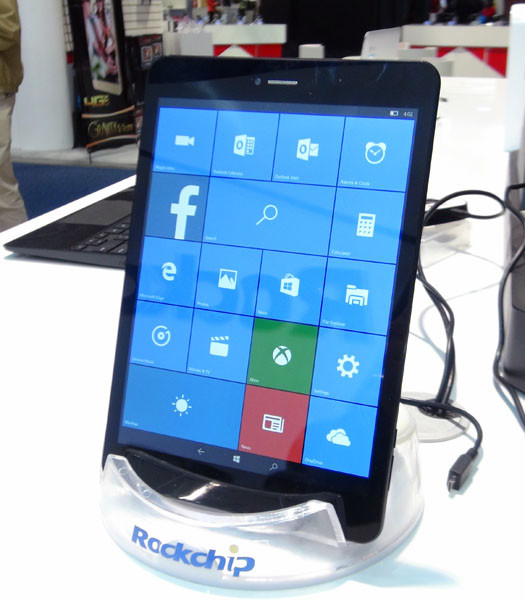
Recently, PIPO Tablet has showed its new model witch is equipped with a 7.85inch small screen -- PIPO U8T Windows10 Mini Tablet PC. It looks  like a phone with a little larger screen, and we believe the price will have some advantages.

PIPO U8T

It is said that this is not the first time that PIPO released its Win10 device, previous models including PIPO W4, PIPO X7S Mini PC, PIPO X9 Mini PC TV Box and so on. The new exposed PIPO U8T Win10 mini tablet is the same name as its first PIPO U8T Android Tablet PC, while has some difference on the specs.

According to the data that has been leaked, the U8T does not include Qualcomm Snapdragon processor or Intel Processor, while equipped with Rockchip RK3288w SoC, and adopts ARM Cortex-A17 processor. It uses a 7.85 inch 1024x768 pixels screen, built in 1GB RAM + 16GB ROM.

Though the new Pipo U8T Win10 mini pc runs Windows 10 OS, it does not support Cellular network connection. Maybe available in the future. Moreover, there is still a upgraded version which is equipped with 2GB RAM + 32GB ROM and much higher resolution screen.

More news about the latest PiPO U8T Windows 10 Mini Tablet PC please stay tuned for our later news.

0 Comments | Posted By PiPo-Store

PIPO W9S is in stock and ready to send!

Sunday, January 24, 2016 11:53:32 PM America/Los_Angeles

With the universal of the Windows 10 tablet, people have more knowledge of the Intel processor and the new Windows 10 OS.

All manufacturers are building a wide variety of new products relying on Intel and Microsoft platforms, among which Pipo W9S is one of the representative product.

PiPO W9S is a new product which is called as creating the Netbook 2.0 era. Different with the traditional netbooks, W9S adopts the highly integrated circuit design. All parts are soldered on the circuit board intensively by factory, and not removable, which avoids the problem of poor contact, dust for causing conductive, etc. In addition, the chip in the W9S is not only highly-integrated, but also highly-uniformly. For example, W9S adopts Intel-Z8300 processor, which is built in complex arithmetic unit for CPU and GPU. Moreover, the sound card and network card chip of this machine is also unified by intel, which formed a  stark contrast with the concept of the various brands pieced together from the old-fashioned netbooks.

And now, PIPO W9S has been on sale, and it is in stock and ready to send! PIPO W9S Premium version(4GB RAM) Price: $199.99,PIPO W9S Low version(2GB RAM) Price: $176.99.

Pipo W9S

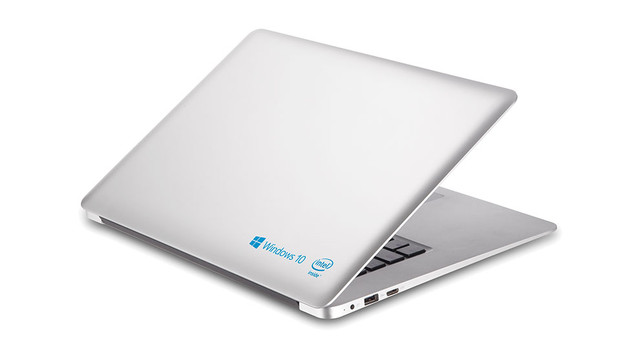
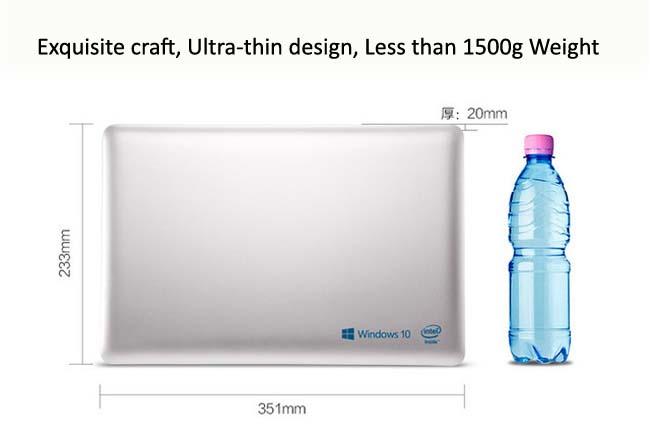
There is not only a great improvement on the performance and the stability of the W9S tablet, compared with the old netbooks, the process and the design of the new PiPO W9S also has a great progress. It is Ultra-light & thin and chic! What's more, the total weight of this notebook is only 1480g!

Pipo W9S

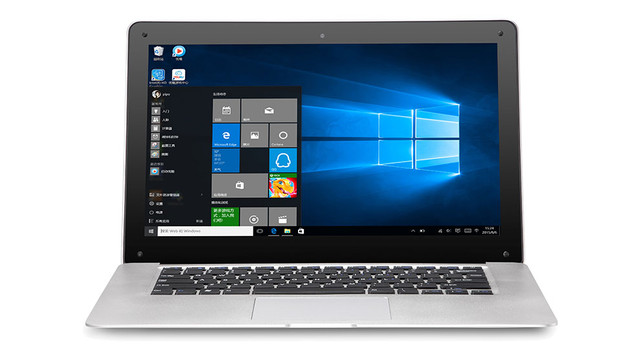
As for the screen, W9S uses a 14.1 inch 1366×768 screen. 14.1 inch large screen will provide an excellent watching feel for your work, study and entertainment. Though FHD and 2K resolution screen is more often nowadys, 1366×768 pixels is some a little low, but for Windows OS, 1366×768pixels resolution is the best resolution compatible with EXE software.

Pipo W9S

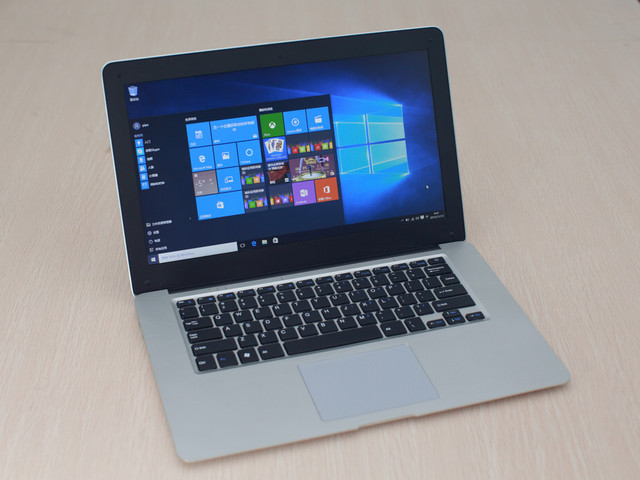
W9S tablet is pre-installed with Windows 10 operating system, which will bring you a comfortable operating experience of the new generation netbook.

Pipo W9S

PIPO W9S Ultrabook is built in a 10000mAh large capacity Lithium Battery. The larger capacity battery combined with the dynamic frequency modulation & pressure regulating technology advanced of the Intel Z8300 CPU, as well as the PiPO's PCB Optimization Design Technology, all bringing an excellent battery life for the W9S, which can continuously work for 4~8 hours for a full charge under normal using, allowing you to keep away from the annoyance of the frequent charging.

Pipo W9S
0 Comments | Posted By PiPo-Store

PiPo W9S Netbook 2.0 Notebook Images

Friday, January 22, 2016 9:06:27 PM America/Los_Angeles

The new generation netbook adopts Intel Atom program which is featured with a highly integrated processor, making the product structure highly intensive. All indications show that Netbook 2.0 era is about to start.

Right now, some manufacturers have taken the lead in this step, one of the most typical is PiPO W9S. It uses the new desing of intel processor and EMMC hard disk which are different with the traditional netbook, and won popularity among users with its good stability and cost-effective. Upgrade from the previous PIPO W8. W9S is configured with a 14.1 inch screen, new generation Z8300 processor, 4GB RAM, 64GB EMMc storage, and now it has been on listed.

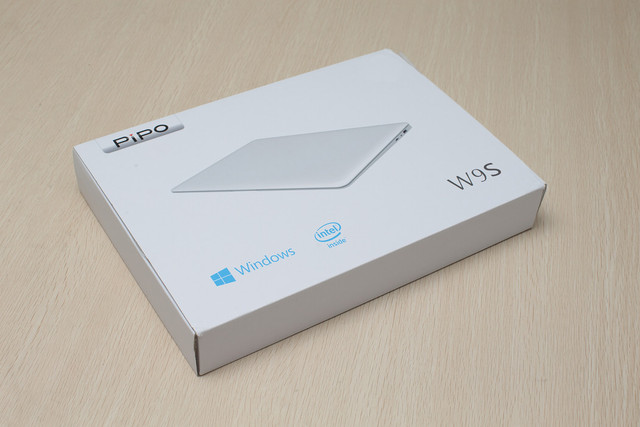
PIPO W9S Package style is very simple and generous!

PIPO W9S

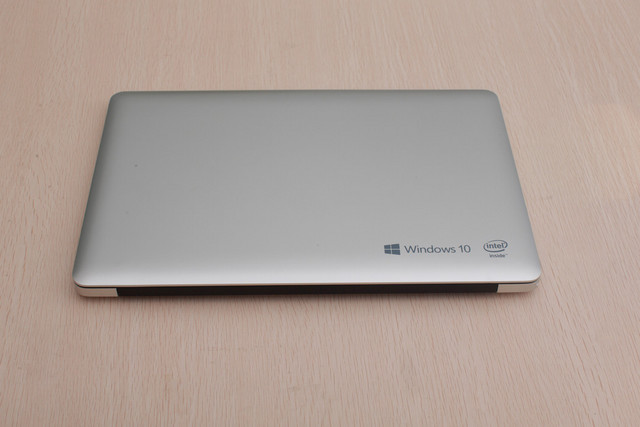
The thickness of the machine is ultral-thin, which is easy to carry, and the appearance is also featured with simple style.

PIPO W9S

Both the front and the back of the W9S adopt the Frosted process with silver color, which will be very comfortable to touch and not easy to fall from your hands. PIPO Tablet also showed that if there is demand from market, there will be multi-colors for choosing.

PIPO W9S

Pipo W9S will be pre-installed with Windows 10 OS. And there will be two buttons hidden on the touchpad of the keyboard, which can remove the mouse of yur tablet when pressing.

PIPO W9S

0 Comments | Posted By PiPo-Store

PIPO W1S Unboxing & Review

Saturday, January 2, 2016 10:42:09 PM America/Los_Angeles

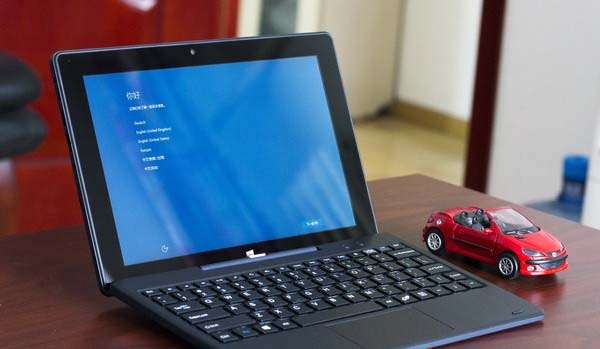
Nowdays, Windows tablet equipped with the Intel processor has become the new mainstream of the current tablet market. In order to meet the habit of the desktop operating system, many of the earlier products will be equipped with a magnetic adsorption keyboard case, while most latest new models began providing direct multi-mode shaft + detachable keyboard design. PIPO W1S is such an equipment, through the specially shaft + keyboard designed, it can be easily transformed into a portable high-performance notebook.

PIPO W1S General:
Compared with other products which are also carried with Intel Cherry Trail Z8300 processor,  W1S breaks the performance limitations, and uses a large-capacity of 4GB RAM memory, even pre-installed 64bit genuine Windows 10 operating system for the first time. The previous models are generally equipped with 32bit Windows operating system, and usually equipped with 2GB RAM, even if some individual models used 4GB RAM, because the 32bit system, it can not be fully identified. PIPO W1S breakthroughs this limitation, and can bring a more fluid operating experience. Moreover, 64GB high capacity disk, USB3.0 standard interface, FHD wide view angle IPS screen, full metal back shell and other configurations are also much more attractive.
PIPO W1S

PIPO W1S Package:
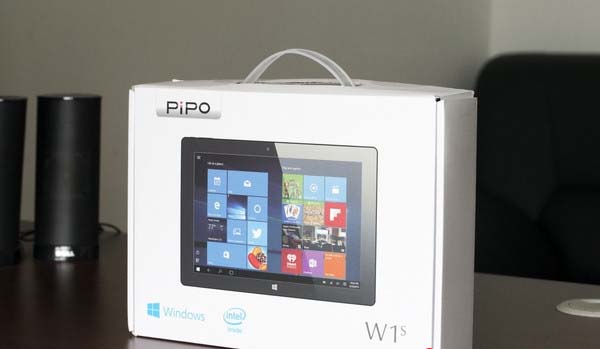
The package style of the PIPO W1S is similar to its previous products, such as PIPO X9, and the new change is the gift handle holding designe, which is more convenient for holding.
PIPO W1S

PIPO W1S Accessories:
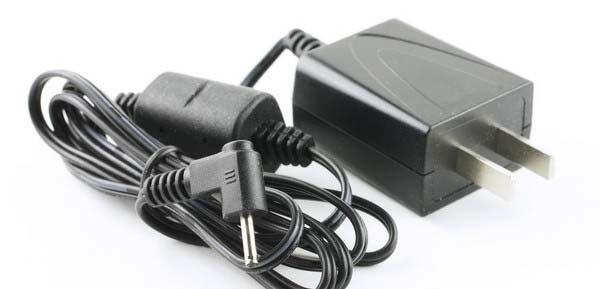
Except for the user manual and warranty card, the most common used accessory in the packing boxes is the charger. This product has a separate DC charging port, not as most of products sharing the same port with the USB port, which is not only more efficient, but also allows USB slot independent. Some previous models will be equipped with conventional OTG adapter cable, for this product, it is not necessary, because it itself is equipped with the standard USB interface, you no need to adapt.
PIPO W1S

PIPO W1S Appearance:
W1S uses the calm black color with similar  style of the past products. 10.1 inch screen, moderate size, as a tablet notebook, it better combined the portability and wide viewing effect.
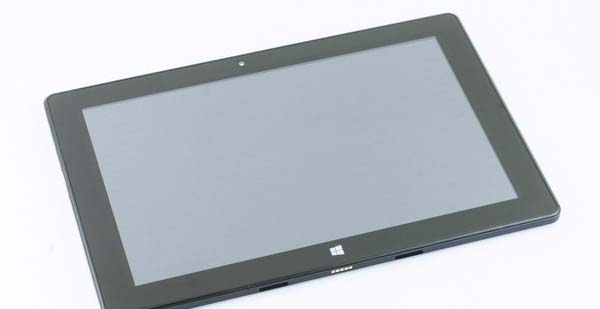
PIPO W1S

The back is full-metal shell and surface takes grinding process, making it full of business atmosphere. PIPO W1S has dual cameras, as a Windows tablet, it is more generous.
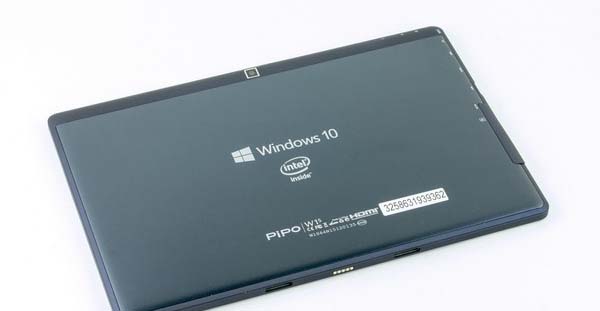
PIPO W1S

W1S and the special keyboard is connected through the shaft, weighing about 1kg, screen and keyboard portions each about half the weight. 2kg weight in total, from the perspective of the notebook, in fact, is very portable.
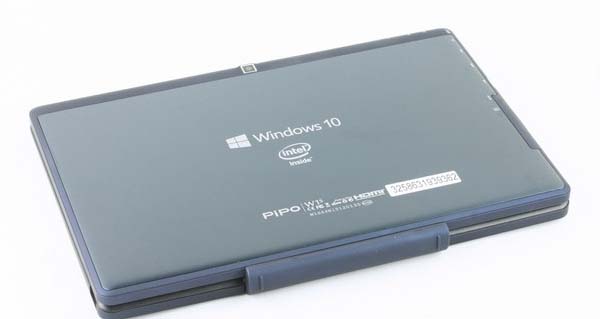
PIPO W1S

Turning over you can see the back of the keyboard base, at the four corners there is a mat, which itself is a surface treatment process skin sense, when holding up, it is relatively fit for hand.
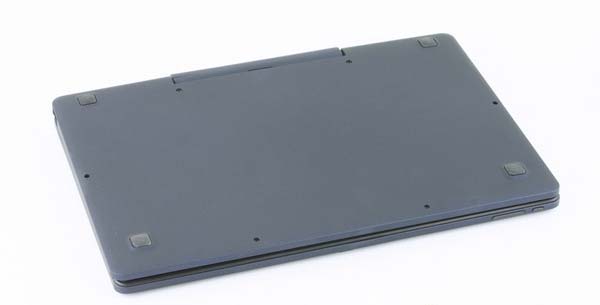
PIPO W1S

The total thickness is 2cm when closing the notebook and keyboard
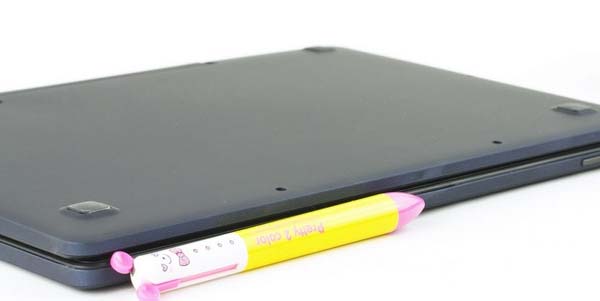
PIPO W1S

Compared to the conventional magnetic adsorption keyboard base, the new shaft design is more solid, which supports flipping from  0 to 120 degrees, and can live securely.
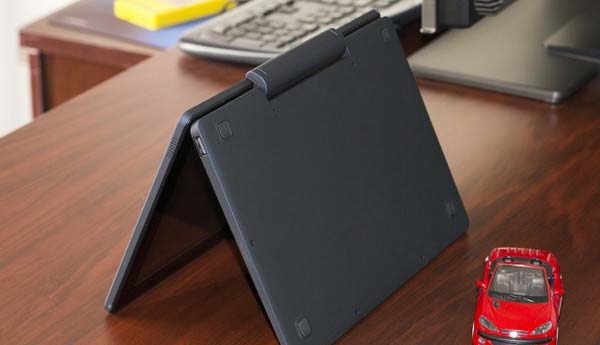
PIPO W1S

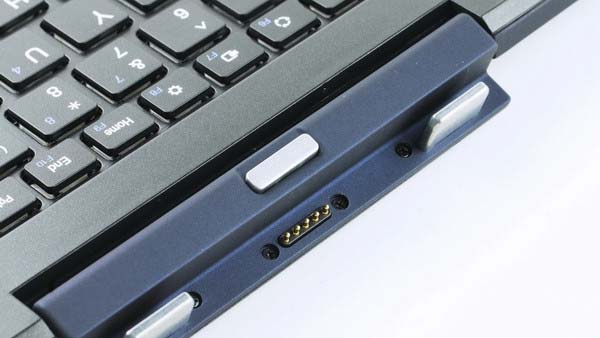
The silver button on the junction is the buckle switch of the intermediate shaft, after pressing, the switch can be released and the tablet can be taken out individually.
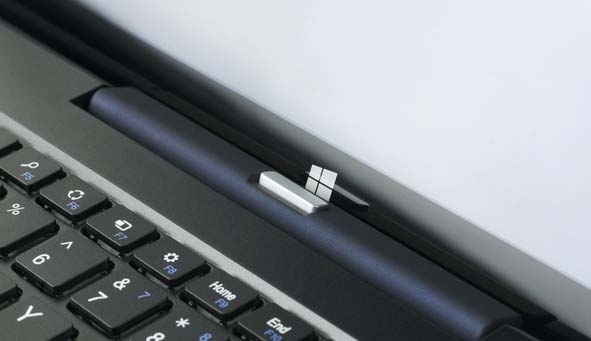
PIPO W1S

It is the contact design at the connected point, without any pairing, just plug for using.
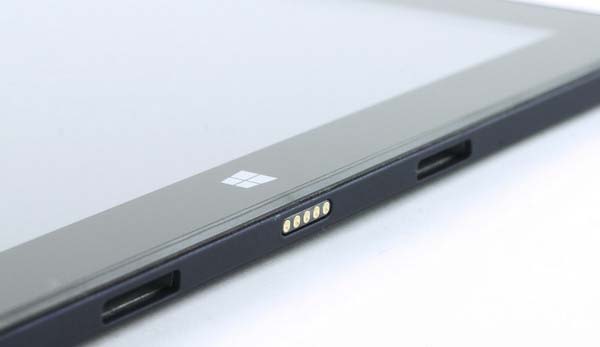
PIPO W1S

The metal snaps of both sides can sufficiently to ensure the stability when connected.
PIPO W1S

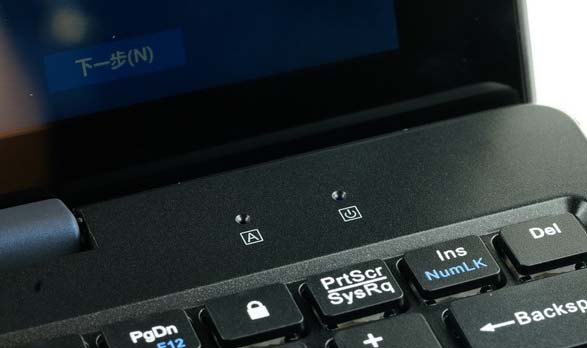
Except for the complete keyboard area of the keyboard base, in the upper right there are the caps lock and switch status indicator, which looks very intuitive, and the effect is very similar to using an ordinary notebook.
PIPO W1S

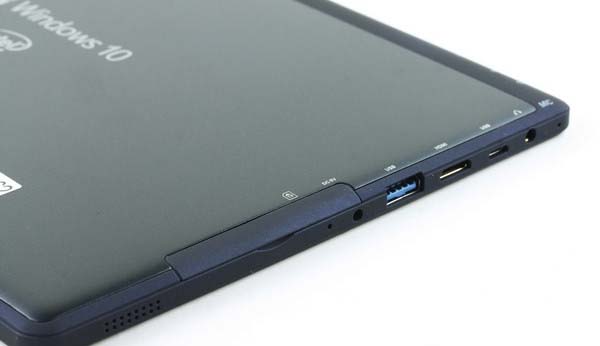
PIPO W1S has rich interfaces. At the left side, we can see the arrangement is very full, including a standard USB3.0 slot, an HDMI interface,  Micro USB port, an earphone port and a recording port. The separate DC power supply is also a major advantage. Moreover, the whole thickness controlled within 1cm  whe providing a standard USB slot, it is worth praise.
PIPO W1S

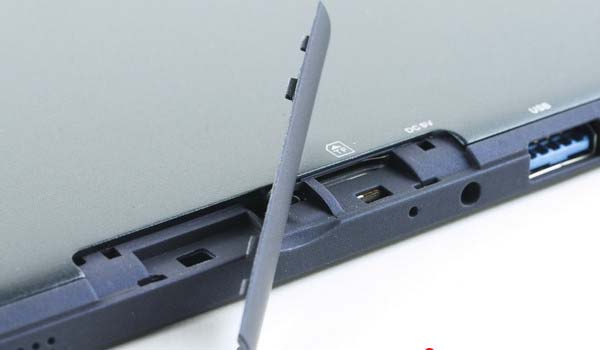
Open shield baffles, there is a hidden TF card slot, the reserved position is for inserting SIM card, maybe it will launch 3G high version later.
PIPO W1S

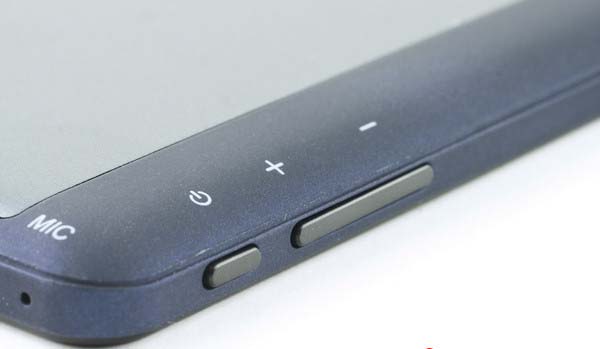
Power and volume control bar are located on the left top corner of the fuselage, which matches daily using habit and have a better holding feel.
PIPO W1S

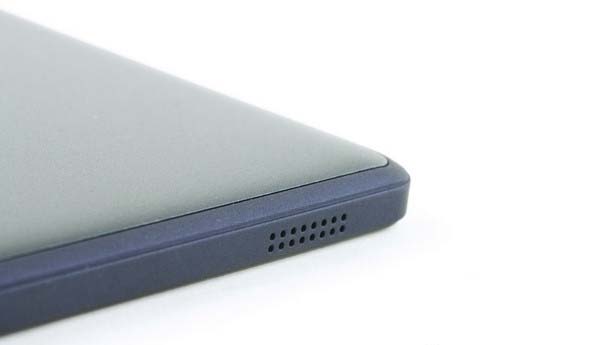
On both sides of the fuselage, there are speakers, putting effect performance is OK, but the sound is slightly sharp.
PIPO W1S

PIPO W1S Screen:
10.1 inch 1920 * 1200 pixels IPS panel  offers excellent screen performance, whether  color or viewing angles, it is basically impeccable. Compared to many low-end notebooks, apparently, the new product evolved from the tablet has more advantages.

PIPO W1S

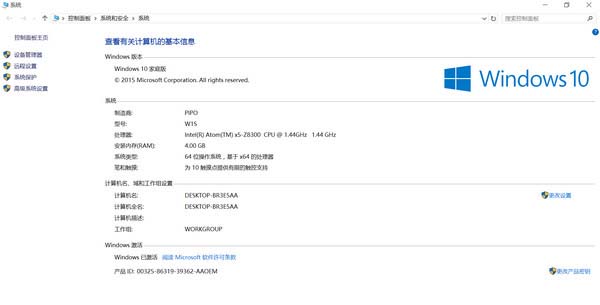
PIPO W1S is equipped with genuine 64 Bit Windows10 OS, as we know, 64bit system can better support large memory, and will have a better performance in operating speed. Moreover, the Intel X5-Z8300 processor is also based on the 64bit instruction set, running a 64-bit system can be a complement to each other. However, many similar products on the market are pre-installed 32bit systems, apparently, PIPO  done a better job in this. This product can be properly identified the 4GB large memory.
PIPO W1S

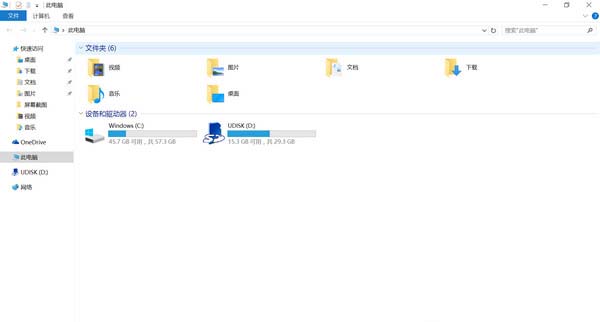
C disk is the storage that comes with system, total of 64GB capacity,  except the hidden and invisible part that system has taken, there are more than 45GB can be self-managed, which is considered to be more adequate, not only can store daily  applications, but also can load some other games.
PIPO W1S

Next let's look at the W1S specific hardware information. It adopts Intel Cherry Trail Atom x5-Z8300 processor with four nuclear & four-thread design, and the same 14nm process as Intel Core M processor, default frequency 1.44GHz, which can reach up to 1.84GHz. Consumes only 2W, will save more energy than the previous generation of Intel Bay Trail processor.
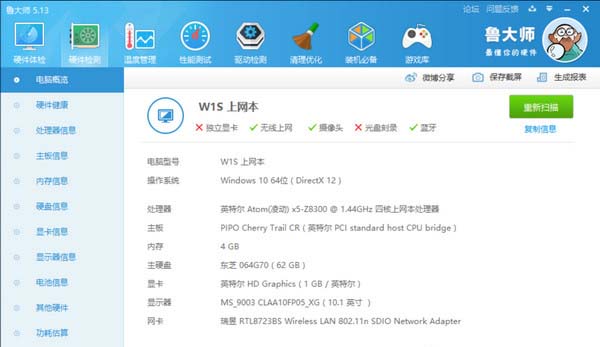
PIPO W1S

315 scores for 3DMark11 graphics test, the smae level with the same program products, nearly half of Core M program model score, while is around 1.5 times  of the Intel Bay Trail tablet.
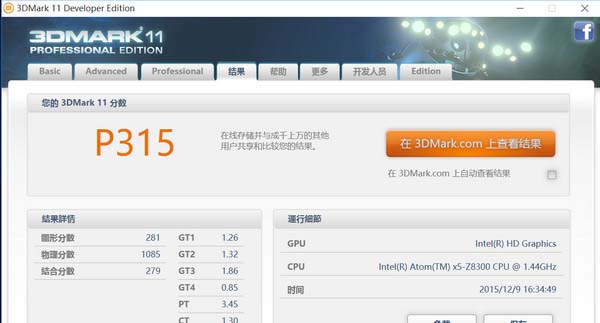
PIPO W1S

Pipo W1S provides PDF user manual, which is directly put on the desktop, double-click and it can be opened.
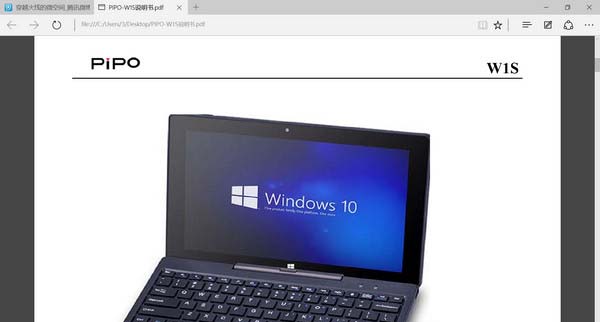
PIPO W1S

It can easily play 1080P online vide without Caton phenomenon, of course, this requires a fast network support. The WiFi reception capacity of the machine is relatively common, you'd better use it with the router at the same time in order to ensure the fluency for watching HD online videos.

PIPO W1S

Also support some larger touch screen games smoothly, no pressure for running

PIPO W1S

W1S has dual cameras, 200W pixel front camera + 500W pixel rear main camera. The above figure is a sample of the rear camera, and the camera size is 2560 * 1440 pixels, while the image is common.
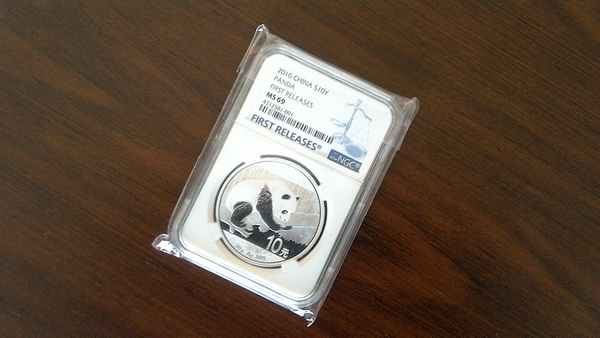
PIPO W1S

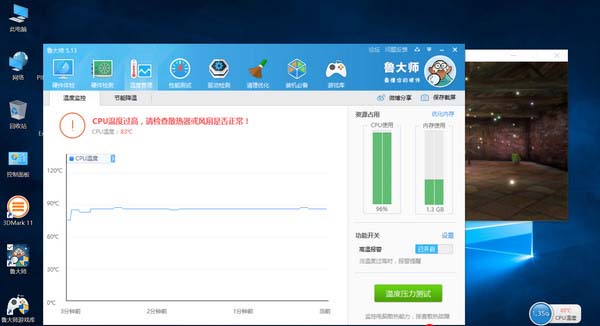
As for the power consumption,  when running temperature stress test, CPU temperature exceeds 80 degrees, the temperature of the CPU overheating protection is 90 degrees, but the hottest surface temperature is 42 degrees at this time, which is not too hot. Then is the endurance performance, it will be affected by different applications. W1S owns a 3.7V / 6800mAh capacity lithium battery. After fully charged,  from 10:00am to 13:50pm power exhausted for playing 1080P video , it lasts nearly four hours,  performance is law-abiding.
PIPO W1S

Verdict:
The overall performance of the PIPO W1S is similar to the products with same program. However, due to the larger 4GB memory and 64-bit system, the performance has improved. Innovative shaft design enriched its usefulness, which can be used as a notebook computer. Last but not the least, the perfect interfaces is also worthy of recognition.

0 Comments | Posted By PiPo-Store

Merry Christmas and Happy New Year!

Wednesday, December 23, 2015 10:18:29 PM America/Los_Angeles

Christmas Day is coming!

Merry Christmas and Happy New Year

We wish you and your families a pleasant end of the year, Merry Christmas and Happy New Year!


Very truly yours,
Pipo-store.com

0 Comments | Posted By PiPo-Store

PIPO X9/X8 Dual OS Switch

Friday, December 18, 2015 10:06:37 PM America/Los_Angeles

1. Android OS Switch to Windows OS

In the Android system, switching to Windows system: Pull down from the upper-right of your device desktop ==>Menu will appear (See below)==> Click "OS switching" , you can quick restart to switch to Windows systems

2. Windows OS Switch to Android OS
1) Click the switching icon (Android icon) on the taskbar of the desktop
2) Click the "OK",it will quick restart and switch to Android system (See below)

Note:
If you have not seen the Android icon on the desktop, you may have cancelled the Dual OS switch file, and you need to update the tool to your device, and then it will be OK.

Please check the tool here: http://sharesend.com/xx77nshr

0 Comments | Posted By PiPo-Store

PIPO X9 Mini PC TV Box Review

Monday, December 14, 2015 1:36:14 AM America/Los_Angeles

PIPO Tablet has leaded a new type of digital product--Mini PC TV Box according to the demand of the current market in 2015, which looks like a TV Box, while has a full screen and touch pad, and it also is more similiar with the tablet pc, but it can only be worked when connected with the DC power supply.As for the Mini PC TV Box advantages and disadvantages, in summary, it can support a continus usinf for dozens of hours. This kind of product combined the advantages of Tablet PC, TV Box, and mini PC, and offers a full new choice for the customers.

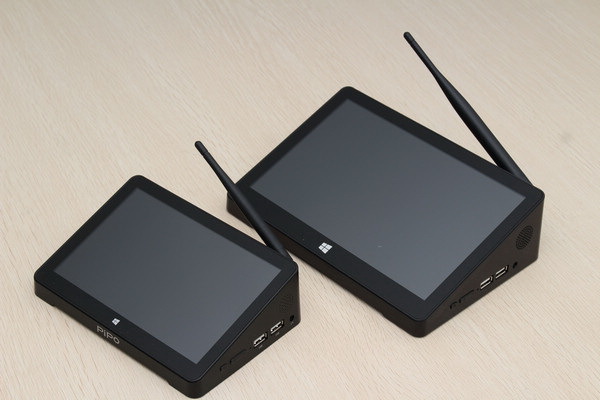
Currently, PIPO Tech has developed two PIPO Mini PC TV Box models--PIPO X8, PIPO X9, and both have gained a lot of popularity from the market. The difference of PIPO X8 and X9 is the screen size. X8 is equipped with a 7 inch scree, while PIPO X9 has a 8.9 large screen.

PIPO X9

Judging from the above picture, we can see the two mini pc tv box are more similiar in appearance, while different in size. Moreover, both the PIPO X8 and X9 has offered a better expand performace, such as 1 x RJ45 LAN Port, 4 x Standard USB Ports, 1 x HDMI port, etc.

PIPO X9

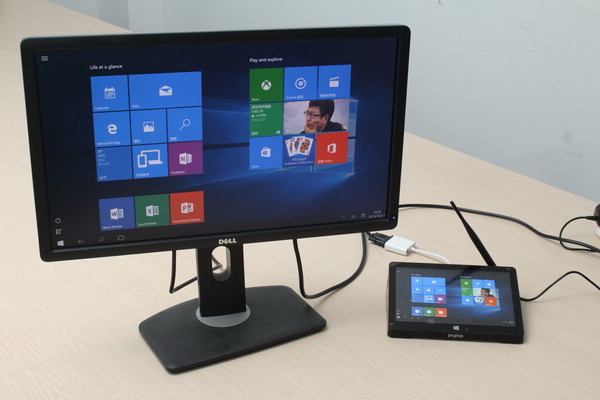
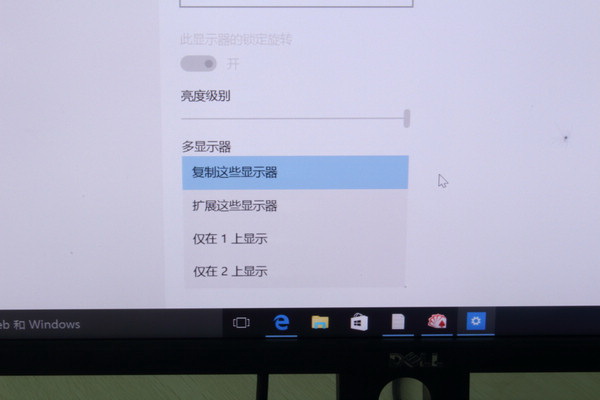
After connecting with the display via the HDMI cable, the "Mini PC TV Box" will show the external monitor as "Display 2" by default, while the smal screen of its own will be the "Display 1". Well. how to set the two monitors, it has a obivous option on the Windows system. And you can choose "Copy the monitor", or "Expamd the monitor" or "Close one of the monitor" by yourself.

PIPO X9

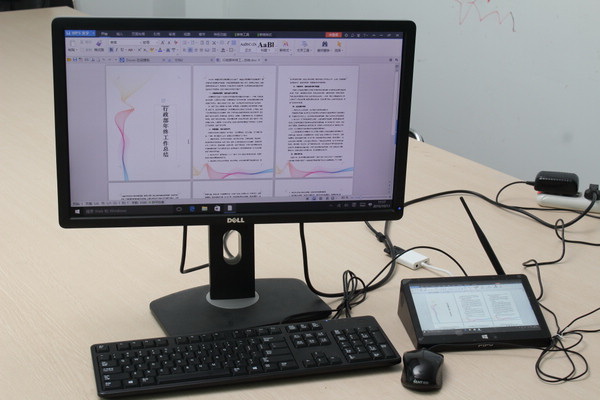
"Copy monitor" means make it show the same contents of the different size screen, and it is sure to be more useful when operating with PPT.

PIPO X9

"Expand monitor" can make the different screens show different contents.

PIPO X9

What's the Significance of the "Mini PC TV Box"?

1. Compared with the mini pc, it is much safer and has a lower power consumption

2. Compared with the TV Box, is has more functions, and is much more freedom

3. Compared with the traditional tablet, it will be more practical for family using.

0 Comments | Posted By PiPo-Store

PiPO X8 Dual OS Win10 Firmware Download

Tuesday, August 18, 2015 1:14:28 AM America/Los_Angeles

PiPO X8 Dual OS Win10 Firmware Download: http://pan.baidu.com/s/1i3yB969

Latest Firmware for PIPO Tablet, please check here: http://www.pipo-store.com/download/

0 Comments | Posted By PiPo-Store

Items 11 to 20 of 42 total

per page
Page:
  1. 1
  2. 2
  3. 3
  4. 4
  5. 5
Set Descending Direction

Please wait...